
Why Pick the Google TV Streamer?
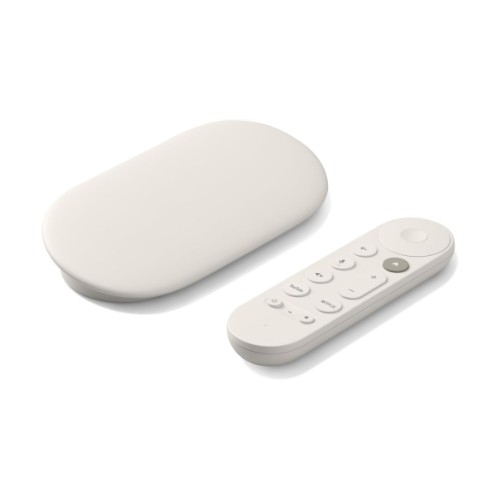
The Google TV Streamer is a great option for IPTV due to its simplicity, high-quality streaming capabilities, and seamless integration with Google’s ecosystem. Supporting 4K Ultra HD and HDR10+, it delivers crisp, vibrant visuals that enhance the IPTV viewing experience, making it ideal for users with 4K-compatible TVs. Unlike Chromecast, this device comes with a dedicated remote, making navigation easier and more convenient. It supports a wide range of popular IPTV apps, including those for live TV, on-demand services, and third-party streaming options. With built-in Google Assistant, users can control playback, adjust settings, or search for content using voice commands. The Google TV Streamer 4K offers a budget-friendly yet feature-rich solution for IPTV streaming, perfect for those who want an intuitive, remote-controlled experience within the Google ecosystem.
Pro’s
- High-Quality Streaming – Supports 4K Ultra HD, HDR10+, and Dolby Vision for a crisp and vibrant IPTV experience.
- Dedicated Remote – Unlike Chromecast, it comes with a remote for easy navigation, eliminating the need for a phone or computer.
- Wide App Support – Compatible with popular IPTV apps, live TV services, and third-party streaming platforms.
- Google Assistant Integration – Allows hands-free control with voice commands for searching, adjusting settings, and playback.
- User-Friendly Interface – Runs on Google TV, offering a smooth, intuitive experience with personalized recommendations.
- Expandable Storage – Supports USB-C hubs and external storage for sideloading IPTV apps and additional content.
Con’s
- Limited Internal Storage – Small built-in storage may require external solutions for sideloaded IPTV apps.
- No Native Ethernet Port – Requires an adapter for wired connections, which may be necessary for stable IPTV streaming.
- Ad-Supported Interface – Google TV includes ads and recommended content, which some users may find intrusive.
- App Availability – Some IPTV apps may require manual sideloading if not available on the Google Play Store.
- Potential Lag on Heavy Apps – Limited processing power might cause slowdowns with resource-intensive IPTV applications.
Disclosure: The links above are affiliate links. This means that, at zero cost to you, we will earn an affiliate commission if you click through the link and finalize a purchase.
