
A step-by-step guide to installing IPTV Smarters Pro on the Amazon Fire TV Stick / Amazon Fire TV Cube
Important: To sideload an IPTV application, you must have the Downloader app installed. If you haven’t installed it yet, please follow our Downloader installation guide HERE.
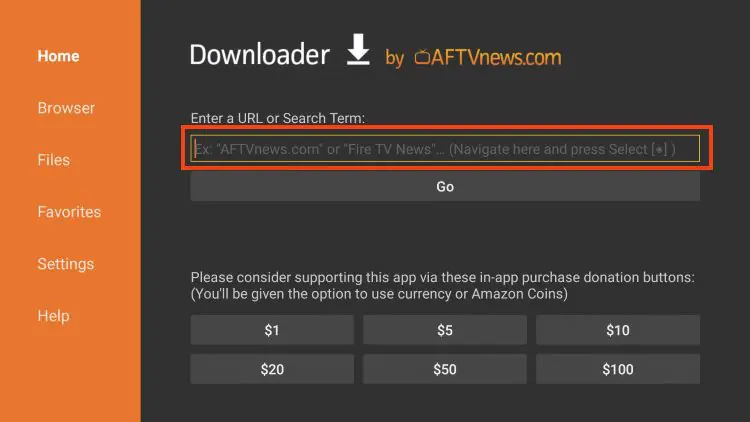
1) Open the Downloader application, select the URL bar, and enter 2499260.
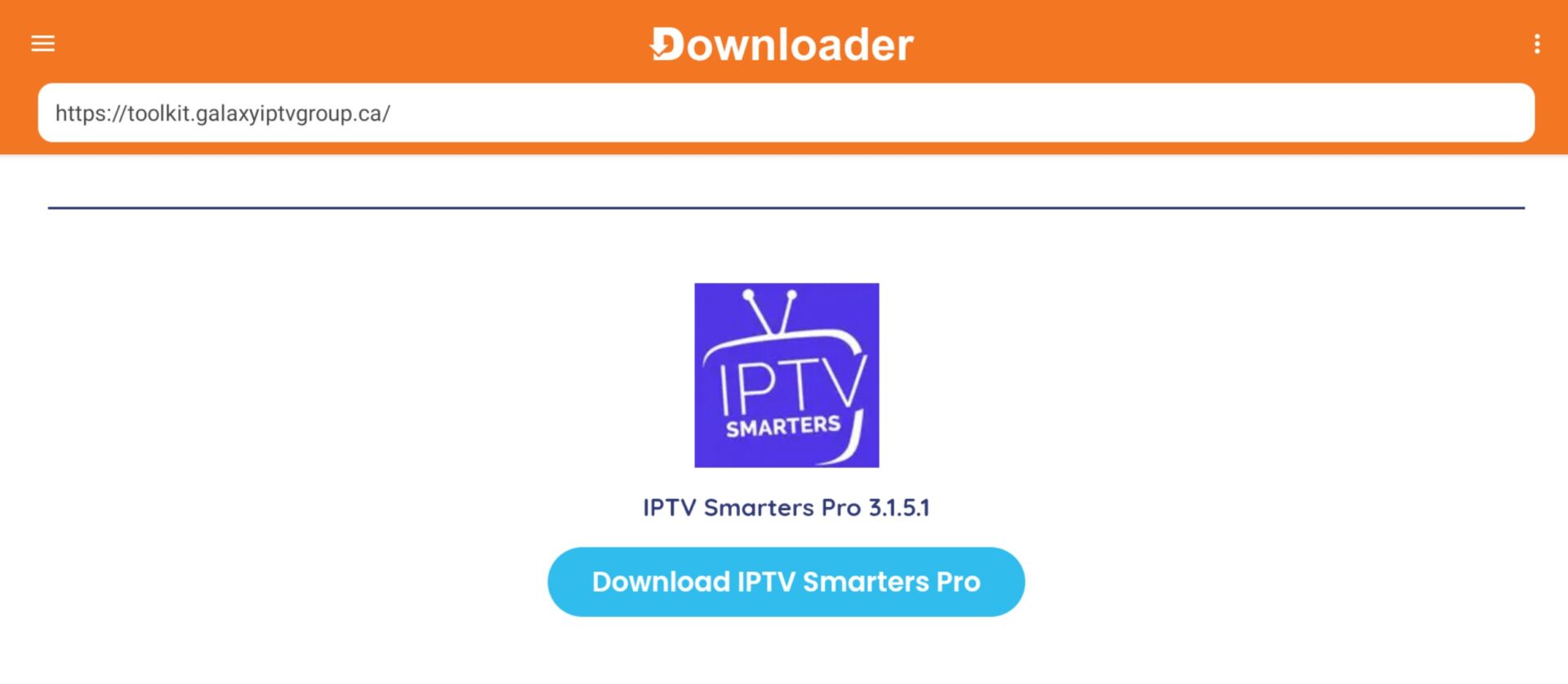
2) Scroll down to IPTV Smarters Pro and click Download IPTV Smarters Pro. IPTV Smarters Pro will now download.
3) After IPTV Smarters Pro has downloaded, click Install.
Optional: Once IPTV Smarters Pro is installed, press the back button and click Delete. Confirm the deletion, as the APK is no longer necessary and is just taking up space.
